Unblocked Games for School
Games that work at school are the ones that need nothing but a browser: no download, no extension, no account. Whether a game site loads is decided by the school's web filter, and the school can see what you visit on its devices — so the rule that actually keeps you out of trouble is simple: breaks and free periods, never lessons.
Updated
What actually works on a school computer
A school computer usually has two locks on it. The device is managed, so you cannot install software or extensions; and the network is filtered, so some sites do not load. Browser games get past the first lock by design — there is nothing to install — and are at the mercy of the second. A game site either loads on your school's network or it doesn't, and that can change week to week as filter lists update.
So "works at school" really means two things: the game needs only a browser (every game here does), and the site is currently allowed on your network (only you can check that). If this page loads, the games on it play.
The right games for a break
A ten-minute break wants games that load in seconds, need no sound, and can be closed without losing anything:
- One-life runners — Slope, Run 3, Snow Rider, the dinosaur game. Nothing to save, nothing to lose.
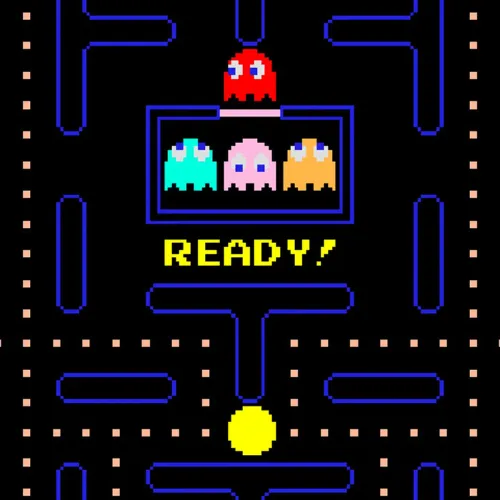
- Quick puzzles — 2048, Minesweeper, Pac-Man.
- Idle games — Cookie Clicker and the clicker category: they progress while the tab is open in the background and don't care if you leave.
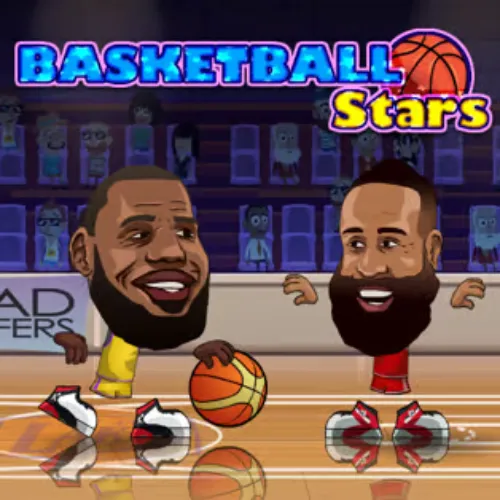
- Two-player on one keyboard — Basketball Stars and the fighting games, for the person next to you.
Heavy 3D games — Drift Hunters, Minecraft— work but take longer to load on a Chromebook and are harder to close quickly. The Chromebook page covers how to make them run well.
What the school can see
On a school-managed Chromebook, or when you are signed into a school Google account, administrators can view browsing history and the filter's logs — and for managed devices that is true at home as well as at school. On a personal laptop or phone using school Wi-Fi, the network sees which sites you connected to but not what you did there. None of this is secret; it is in the acceptable-use policy you (or a parent) signed.
The rules that keep you out of trouble
- Breaks, lunch, free periods. Not lessons. This is the whole rule; everything else is detail.
- Never install anything. No VPN, no proxy extension, no "unblocker". Installing a VPN on a school device is what turns a warning into a suspension.
- Don't share workarounds. A site that loads today is blocked tomorrow if half the year is on it during maths.
- Sound off. Obviously.
More
- Best unblocked games for school Chromebooks — the ranked list, with why each one made it.
- How school web filters work — what they check, what they don't, and why the numbered mirror sites exist.
- Are unblocked games safe?
Frequently asked questions
What games are not blocked at school?
It varies by school, because each school sets its own filter. Games that run in the browser with nothing to install are the only kind that can work at all; which sites hosting them are allowed is the school's decision. Lightweight games — Slope, Run 3, 2048, Paper.io — are the usual picks because they load fast and close instantly.
Can the school see what games I play?
On a school-managed Chromebook or a school Google account, yes — browsing history and filter logs are visible to administrators, and on managed devices that applies even at home. On a personal device on the school Wi-Fi, the network can see which sites you visited but not what you did on them.
How do I unblock games on a school Chromebook?
You don't — and you shouldn't try. Managed Chromebooks lock the settings that control filtering, and installing a VPN or proxy to get around it is the thing that gets accounts suspended. Play the games that are allowed, during the times that are allowed.
Are games allowed at school?
Most schools allow games on personal time — breaks, lunch, free periods — and prohibit them during lessons. Check your school's acceptable-use policy; it is usually one page and it is the document that decides what happens if you're caught.
Why does a game site work one week and not the next?
Filter lists update. A site that was unlisted gets categorised as 'games' and blocked; sometimes the reverse happens. That is why the numbered mirror sites exist, and why no site can honestly promise to stay unblocked.