Play Minecraft Online Free
More Games to Play



About Minecraft
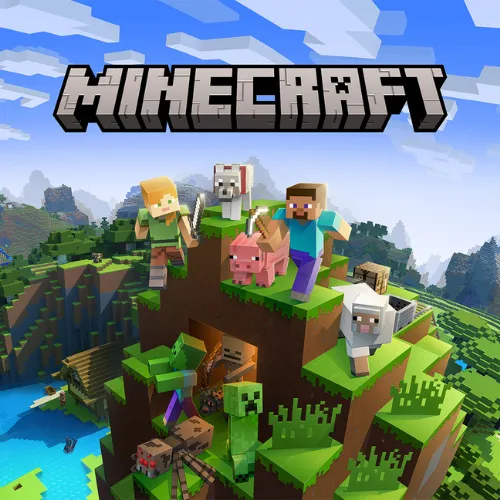
This is Minecraft Classic: the version of Minecraft from 2009, which Mojang re-released in the browser for the game's tenth anniversary in 2019. It is creative mode only — no monsters, no hunger, no crafting — with the original 32 blocks, the original blocky terrain, and the original bugs left in on purpose. You place and break blocks in an infinite-feeling world and build whatever you like.
It is the one legitimate way to play Minecraft in a browser for free, which is why it is one of the most-searched games on this site. It is not the full survival game: think of it as Minecraft's sketchbook. You can share a link to your world and build with up to nine other people at once.
How to play Minecraft
- Move
- W A S D
- Look
- Mouse (click the game to capture the cursor)
- Jump
- Space
- Place / break block
- Right click / left click
- Choose block
- B opens the block menu; number keys pick from the hotbar
- Fly
- Not available — Classic has no flying
- Click the game to capture your mouse, then look around and walk with WASD. Space jumps; there is no sprint or crouch in Classic.
- Press B to open the 32-block palette. Pick blocks into your hotbar and select them with the number keys.
- Left-click breaks a block instantly; right-click places the selected one. Water and lava flow; sand and gravel fall.
- Use the link the game gives you to invite friends — up to nine can build in the same world at the same time.
- There is no saving between sessions in Classic. Finish a build, take a screenshot, or keep the tab open.
Minecraft tips
- Build near spawn: with no map and no compass, the spawn point is the only landmark you can always find.
- Water source blocks spread in Classic just as in the modern game — one bucket-less trick is to place water at the top of a slope and let it flow.
- Expect the old physics: no block-placing on the side of nothing, and TNT that just sits there.
- The world is finite. If you hit an invisible wall, that's the edge — build inward.
Minecraft — questions
Is this the real Minecraft?
Yes — it is Mojang's own Minecraft Classic, the 2009 version released in the browser for the tenth anniversary. It is creative mode only, with 32 blocks and no survival features, but it is the genuine game, not a clone.
Can I play Minecraft survival in the browser for free?
Not officially. Minecraft Classic is creative-only. Survival mode requires the paid game (Java or Bedrock edition); browser sites that claim to offer free survival Minecraft are running unofficial clones.
Does Minecraft Classic work on a school Chromebook?
Yes. It runs in the browser with no download and is far lighter than modern Minecraft. Click the game once to capture the mouse; press Esc to release it.
- Categories
- Adventure & RPG, Strategy & Simulation
- Popularity
- #2 of 811 games on No Internet Game
- Platform
- Web browser — desktop, mobile, and Chromebook
- Cost
- Free, no download or sign-up