Play Basketball Stars Online Free
More Games to Play








About Basketball Stars
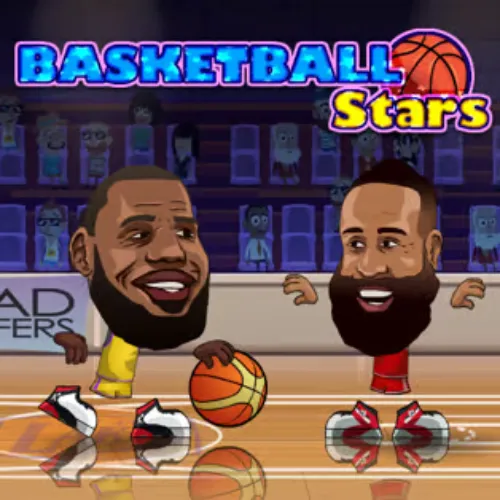
Basketball Stars is a one-on-one basketball game with two-player mode on a single keyboard, which is the whole reason it is on every school Chromebook. Pick a player, take on a friend or the computer, and play to a score or a clock: shoot from anywhere, drive for a dunk, block and steal. Madpuffers, the studio behind Moto X3M, released it in 2018.
Matches are quick and the controls are simple enough to explain in one sentence, but there's real timing in shooting and blocking — a well-timed jump blocks almost anything, and a three from the logo is worth the risk. Tournament mode against the computer unlocks more players.
How to play Basketball Stars
- Player 1 move
- W A S D
- Player 1 shoot / block
- B
- Player 1 pump / steal
- V
- Player 2 move
- Arrow keys
- Player 2 shoot / block
- L
- Player 2 pump / steal
- K
- Choose 1 player (vs the computer) or 2 players (same keyboard), then a mode: quick match or tournament.
- With the ball: move, jump to shoot, or drive to the rim for a dunk. Release at the top of the jump for accuracy.
- On defence: jump to block a shot, or use the steal key when close.
- Score more than your opponent before the clock runs out, or reach the target score first.
Basketball Stars tips
- Shoot at the peak of the jump. Early or late releases miss even when open.
- Dunks are near-automatic if you reach the rim untouched; drive when the defender jumps.
- Block by jumping just after the shooter does, not before — early jumps land before the ball leaves.
- In two-player, pump fakes win: press pump, wait for the jump, then shoot.
Basketball Stars — questions
Can two people play Basketball Stars on one keyboard?
Yes — that is its main mode. Player 1 uses WASD with B and V; Player 2 uses the arrow keys with L and K. Choose '2 players' on the start screen.
How do you unlock players in Basketball Stars?
Win matches in tournament mode against the computer. Each tournament stage unlocks more players and courts.
Does Basketball Stars work on a school Chromebook?
Yes. It is a 2D keyboard game that runs in the browser with nothing to install, and two people can share the Chromebook's keyboard.
- Categories
- Sports
- Popularity
- #80 of 811 games on No Internet Game
- Platform
- Web browser — desktop, mobile, and Chromebook
- Cost
- Free, no download or sign-up