Play Raft Life Online Free
More Games to Play








About Raft Life
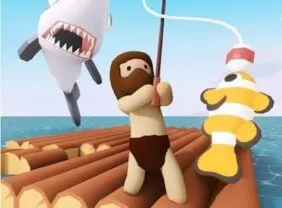
Raft Life puts you on a small wooden platform in an endless ocean and lets you expand it. You chop wood, fish for food, plant fruit and vegetables, and add new sections to the raft — turning a couple of planks into a floating island with buildings on it. There are sharks in the water, so the edges are never entirely safe.
It's the relaxed end of the survival genre: no fail state to speak of, no timers, and the progress is visible in the raft itself getting bigger every few minutes. Good for a background tab.
How to play Raft Life
- Move
- W A S D
- Interact / gather
- Mouse click
- Build / buy
- Click the build spots and shop panels
- Gather wood, food and resources from the raft and the water around it.
- Use resources to build new raft sections and structures.
- Fish and farm for a steady food supply.
- Watch out for sharks near the edges as you expand.
Raft Life tips
- Expand the raft outward evenly rather than in one long arm; sharks reach edges, and long arms are all edge.
- Set up food production before decoration — everything else depends on not running out.
- Collect the floating debris that drifts past; it's free material.
- There's no rush. The game has no timer, so build in the order you find interesting.
Raft Life — questions
How do you get more space in Raft Life?
Collect wood and use it to build new raft sections at the edges. Each section adds usable area for buildings, farms and storage.
Are the sharks dangerous?
They patrol the water around your raft and can attack when you're at the edge or in the water, so build carefully and keep an eye on them while expanding.
Does Raft Life work on a Chromebook?
Yes — it runs in the browser with nothing to install and doesn't demand much hardware.
- Categories
- Casual & Hyper-Casual
- Platform
- Web browser — desktop, mobile, and Chromebook
- Cost
- Free, no download or sign-up